# OPENVAS(GVM) 使用說明
##### openvas安裝
使用Kali安裝
```
sudo apt install gvm
```
**備註:其他linux版本請參閱官方安裝文件**
[https://greenbone.github.io/docs/latest/22.4/source-build/index.html](https://greenbone.github.io/docs/latest/22.4/source-build/index.html)
人家整理好的debian快速安裝方式
[https://github.com/Kastervo/OpenVAS-Installation](https://github.com/Kastervo/OpenVAS-Installation)
##### 初始化gvm
```
sudo gvm-setup
```
**備註:完成後會自動產生新密碼,如果忘記可用以下指令修改。**
```
sudo runuser -u _gvm -- gvmd --user=admin --new-password=password
```
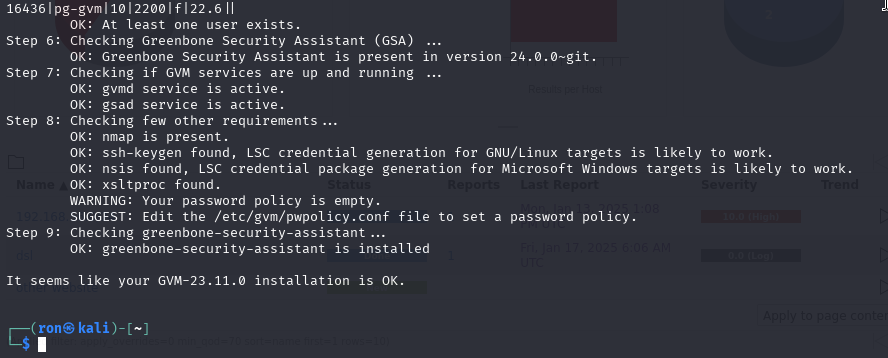
檢查安裝
```
sudo gvm-check-setup
```
[](https://book.4inlibra.com/uploads/images/gallery/2025-01/image.png)
最後會出現It seems like your GVM-xx.xx.xx installation is OK.代表有安裝完成。
##### 啟用gvm
```
sudo gvm-start
```
**備註:這個程式會自動開啟gsad(GreenBone Security Assistant daemon)、gvmd(greenbone Vulnerability Manager daemon)跟opsd-openvas三個服務,完成後也會自動開啟遊覽器。**
**注意!!第一次啟用gvm後要等程式將資料完整的寫到資料庫後才可以正常運作,需要時間是電腦效能可能幾十分鐘到幾小時。**
預設網址:https://127.0.0.1:9392
##### 停止gvm
```
sudo gvm-stop
```
##### 修改服務IP跟Port
```
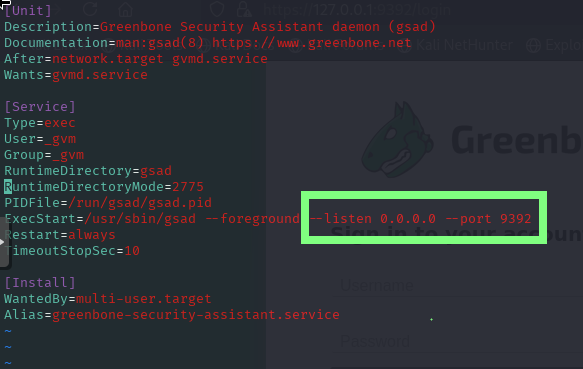
sudo vi /usr/lib/systemd/system/gasd.service
```
[](https://book.4inlibra.com/uploads/images/gallery/2025-01/2QSimage.png)
將**--listen** 更改成新的服務ip,也可以使用**0.0.0.0**做任意 IP都可以,--port則可以更改成想要的port,完成厚重啟服務。
##### 更新資料庫
```
sudo greenbone-feed-sync
```
也可以
```
sudo greenbone-feed-sync --type nvt
sudo greenbone-feed-sync --type scap
sudo greenbone-feed-sync --type cert
```
**備註:也可以使用cron讓資料庫定期更新。**
##### 重置GVM
```
sudo -u _gvm gvmd --rebuild-gvmd-data=all
```
##### 其他
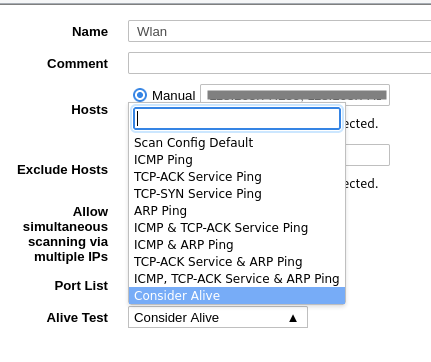
如果安裝openvas的裝置使用外部ip直接對其他實體(外部)ip做弱點掃描時會出現掃不出任何結果的狀況時,
將Alive Test從**scan config Default**改成**Consider Alive**就可以了。
[](https://book.4inlibra.com/uploads/images/gallery/2025-01/zHYimage.png)
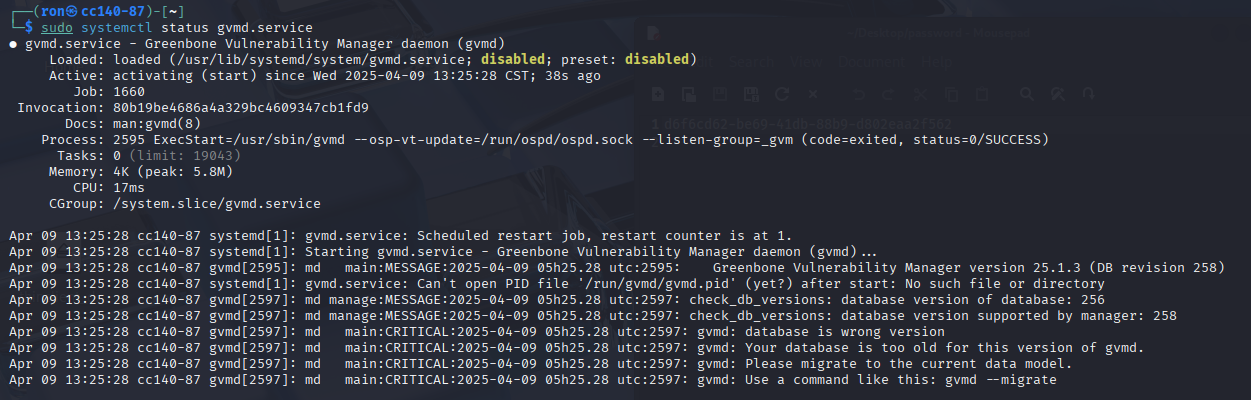
##### 更新後啟動失敗問題處理1(Database is wrong Version)
顯示狀態如下
[](https://book.4inlibra.com/uploads/images/gallery/2025-04/YRVKfw4Icg.png)
使用
```
gvmd --migrate
```
顯示如下,role "root" does not exist。
[](https://book.4inlibra.com/uploads/images/gallery/2025-04/0EAepMzDdA.png)
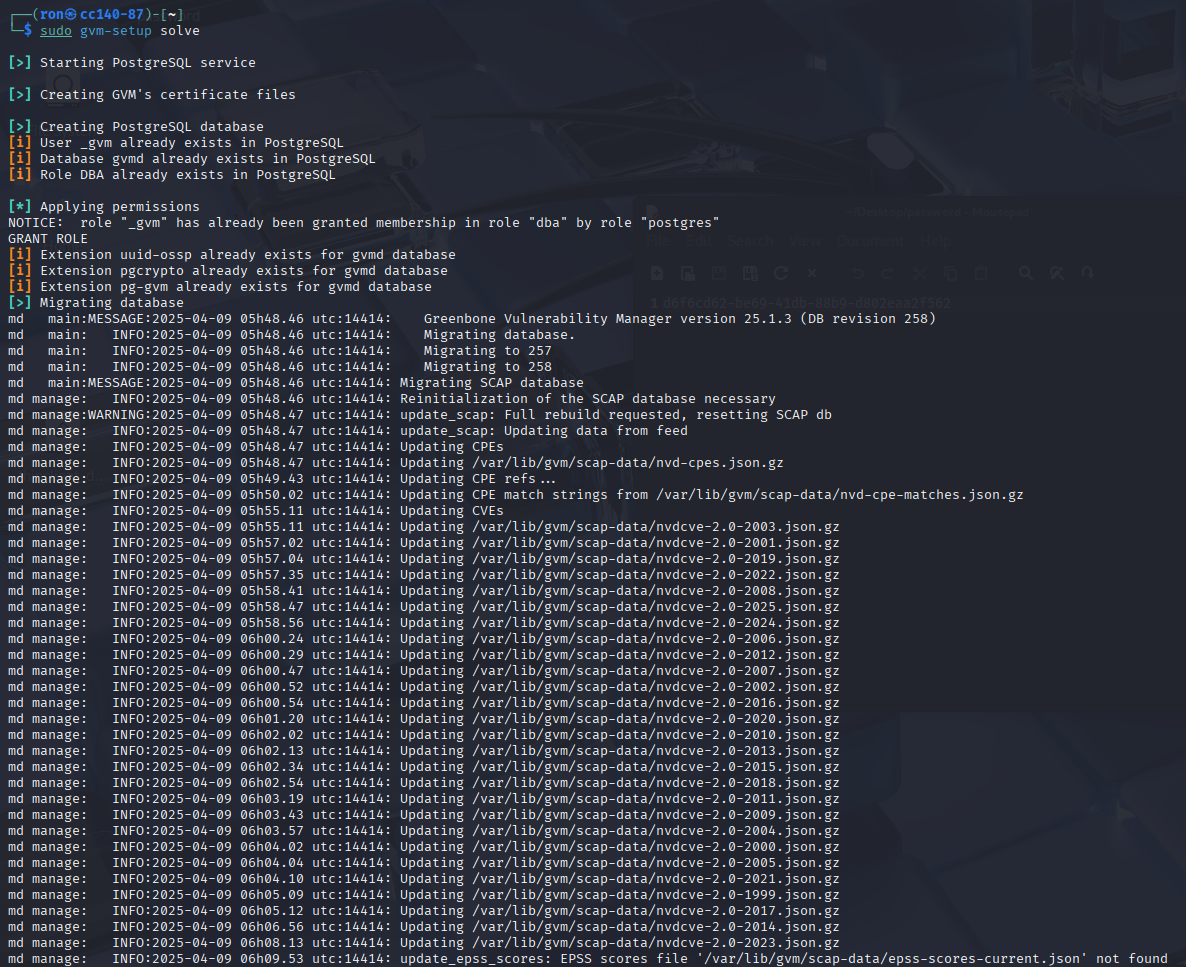
使用
```
gvm-setup solve
```
,縣市概略如下
[](https://book.4inlibra.com/uploads/images/gallery/2025-04/xZLjuzqRuc.png)
很多以下略,
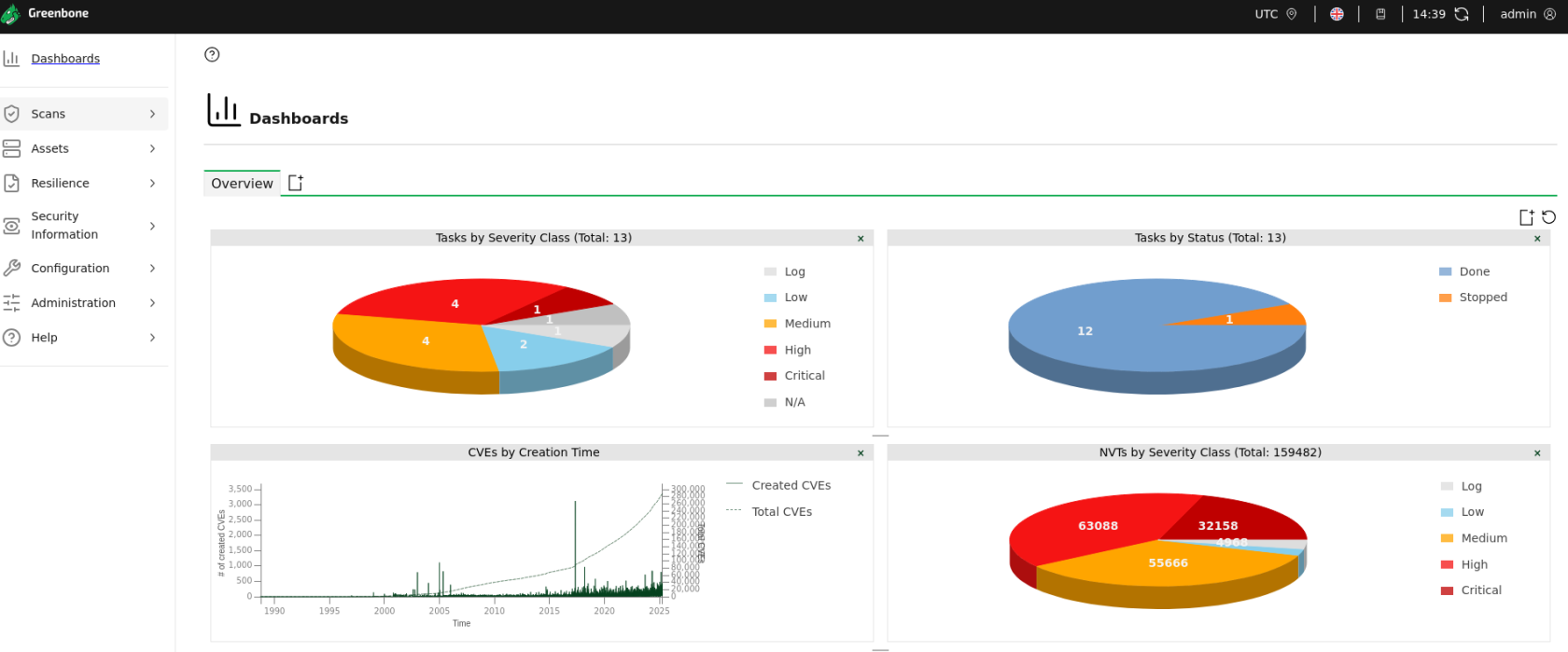
然後啟動gvm就可以成功,發現是因為更版所致。
[](https://book.4inlibra.com/uploads/images/gallery/2025-04/Bj3M9wwCOB.png)
##### 參考資料
[https://greenbone.github.io/docs/latest/22.4/kali/index.html](https://greenbone.github.io/docs/latest/22.4/kali/index.html)
[https://www.greenbone.net/en/documents/](https://www.greenbone.net/en/documents/)
[https://github.com/greenbone/](https://github.com/greenbone/)
[https://community.greenbone.net/getting-started/greenbone-community-edition-via-linux-distribution-packages/](https://community.greenbone.net/getting-started/greenbone-community-edition-via-linux-distribution-packages/)
https://forum.greenbone.net/t/your-database-is-too-old-for-this-version-of-gvmd/20812